
Email Notification in Zoho Creator
Here is our approach for setting up Email Notifications in Zoho Creator in a simple way.
Even a non-technical person can easily do it in just few steps.

Approach
We can Setup Email Notification in Zoho Creator using the steps given below
1. Setting Up Email Notifications
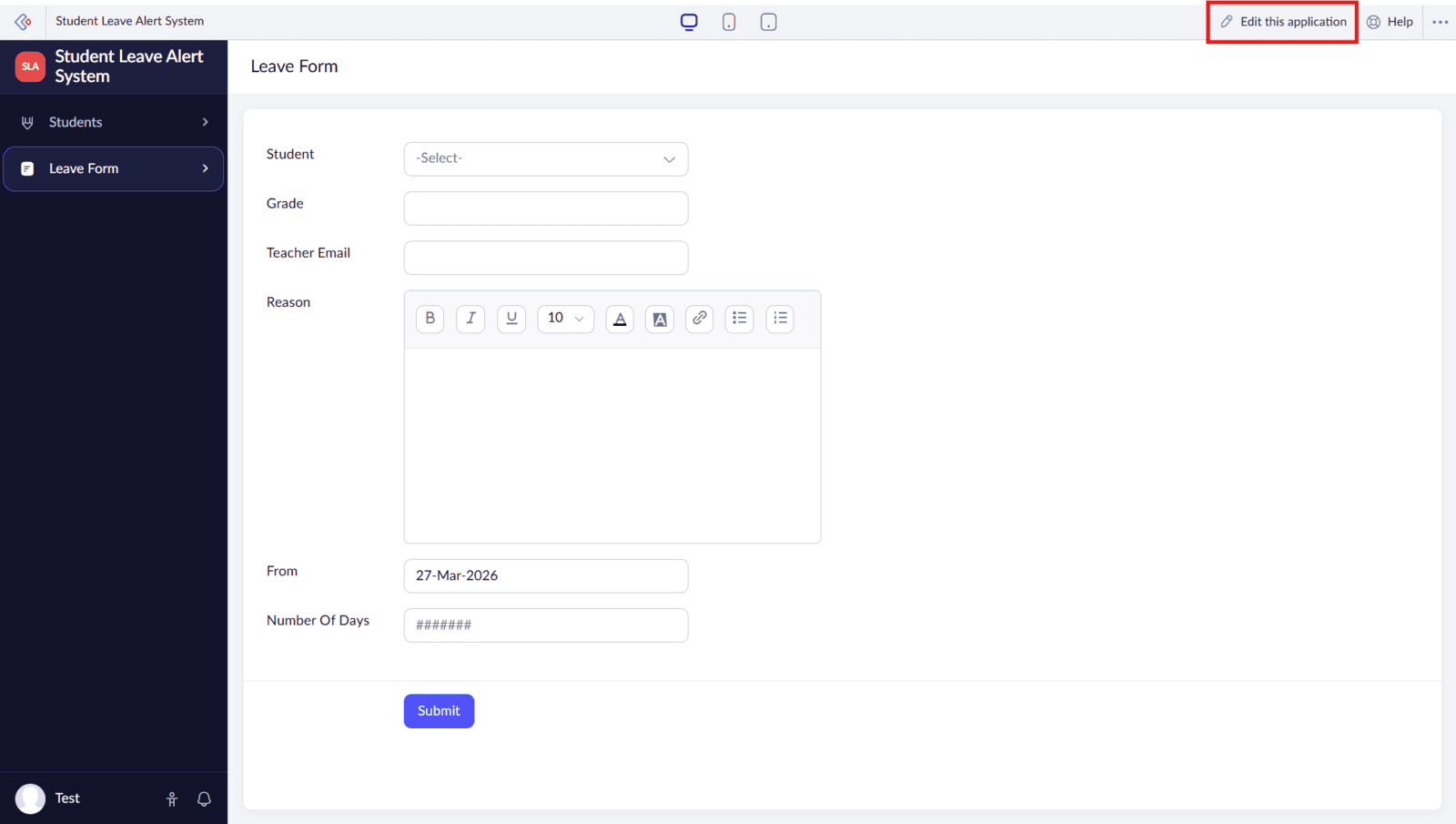
1.1 Click on "Edit this application"
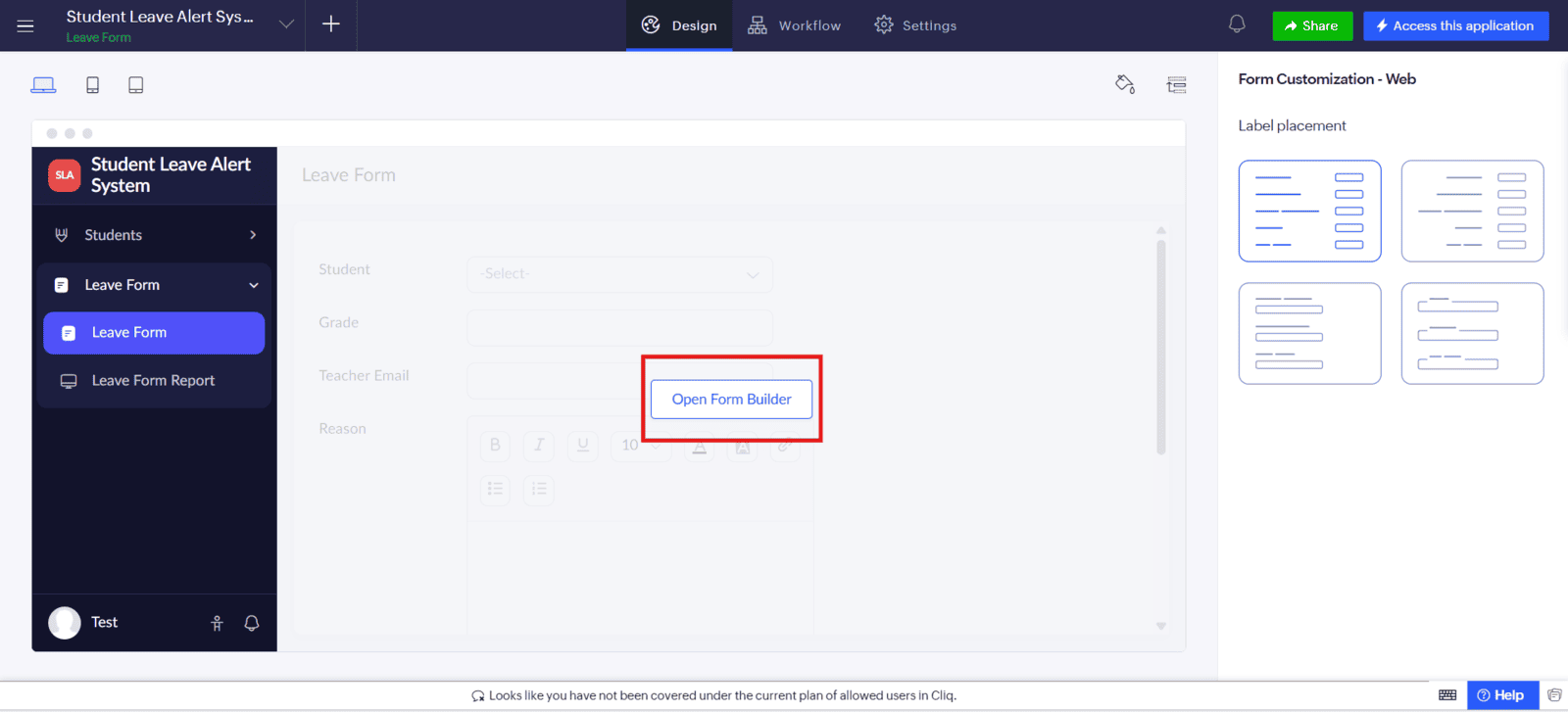
1.2 Click on "Open Form Builder"
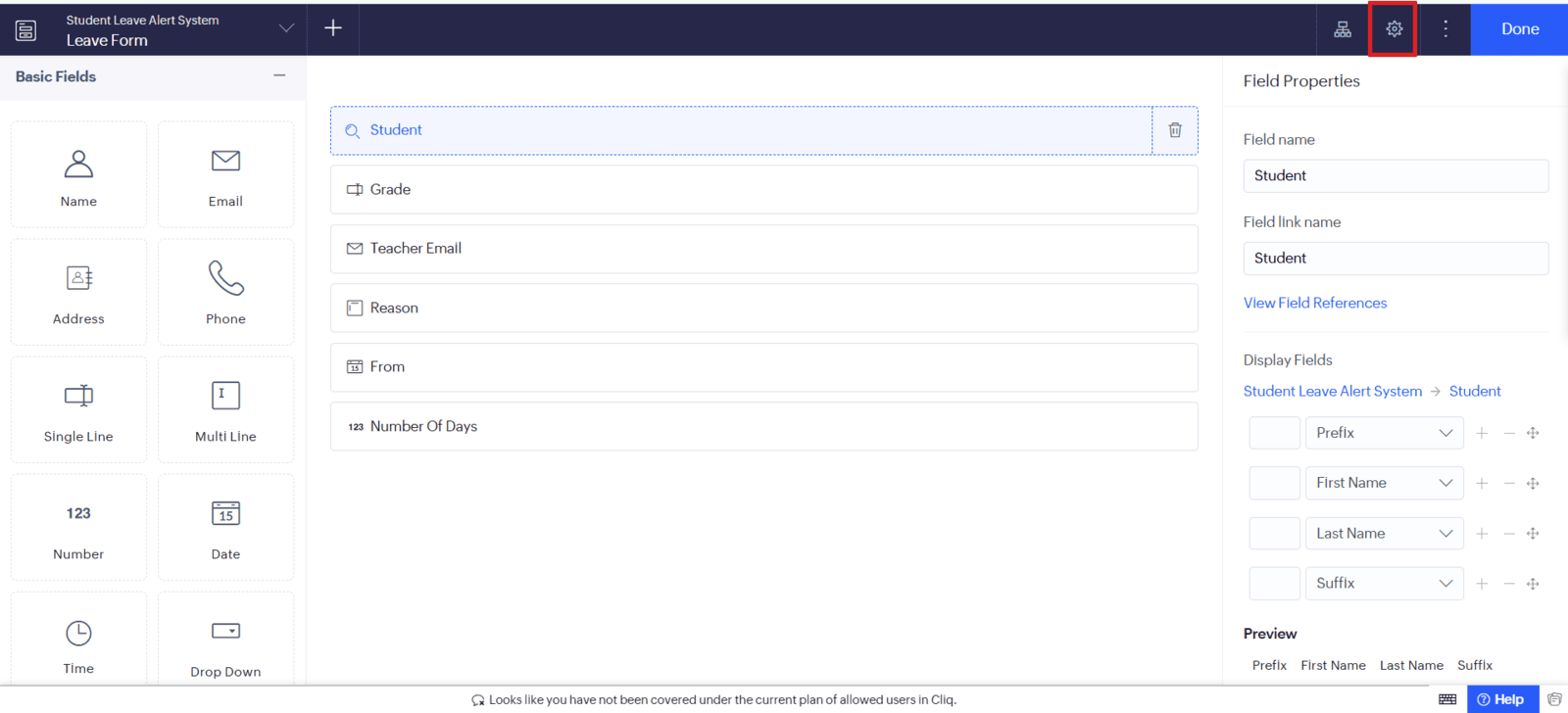
1.3 Tap on the "Settings" Icon
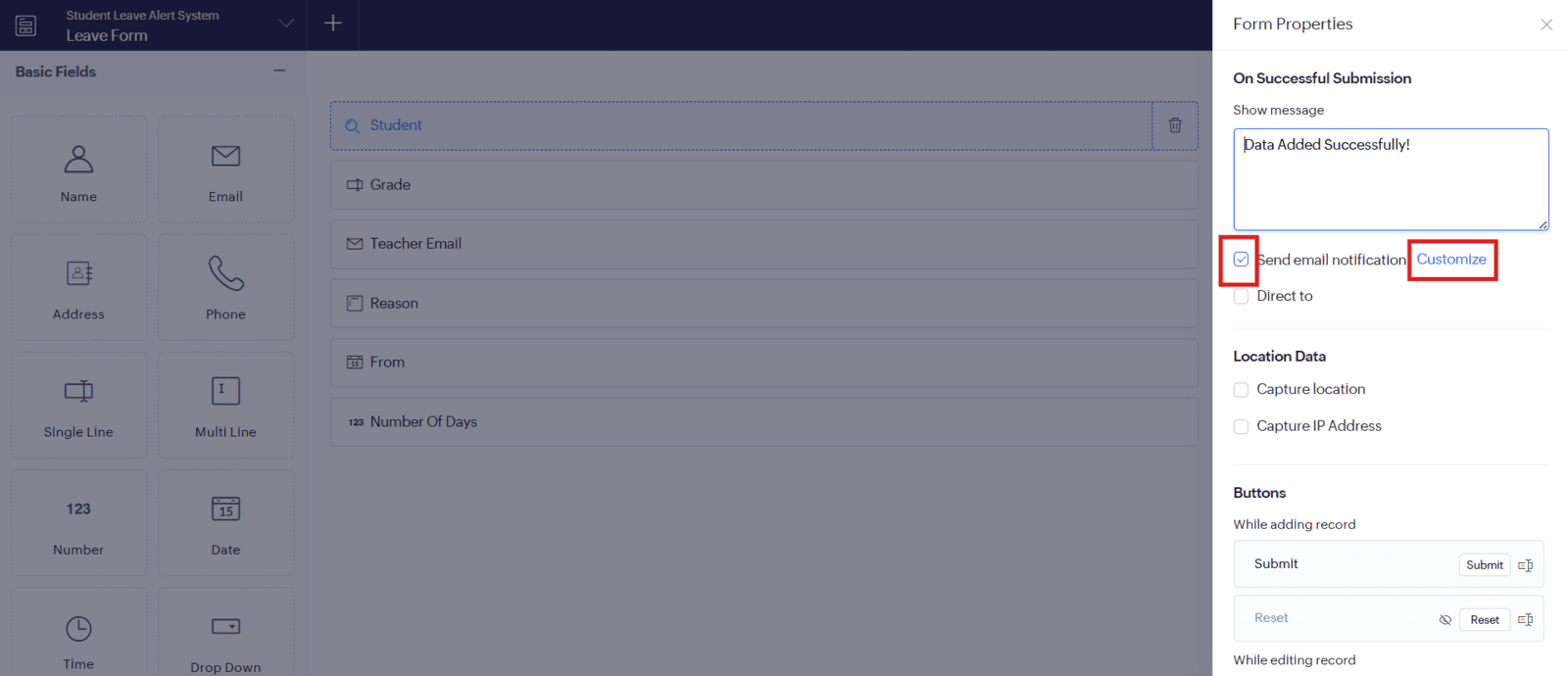
1.4 Select the Checkbox to Enable Email Notification and Click on "Configure"
1.5 Select "From" and "To" Email Address and Add Subject
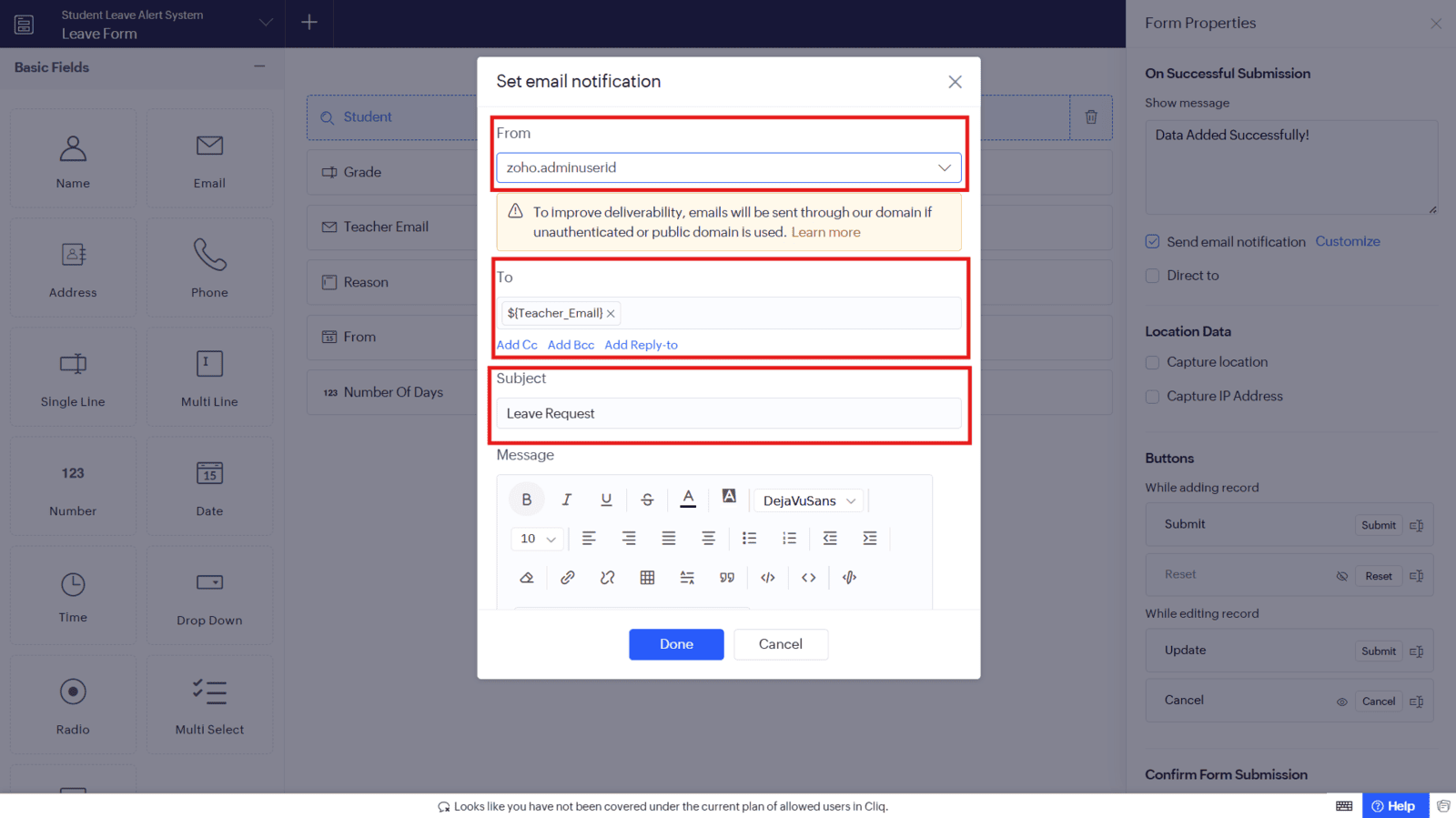
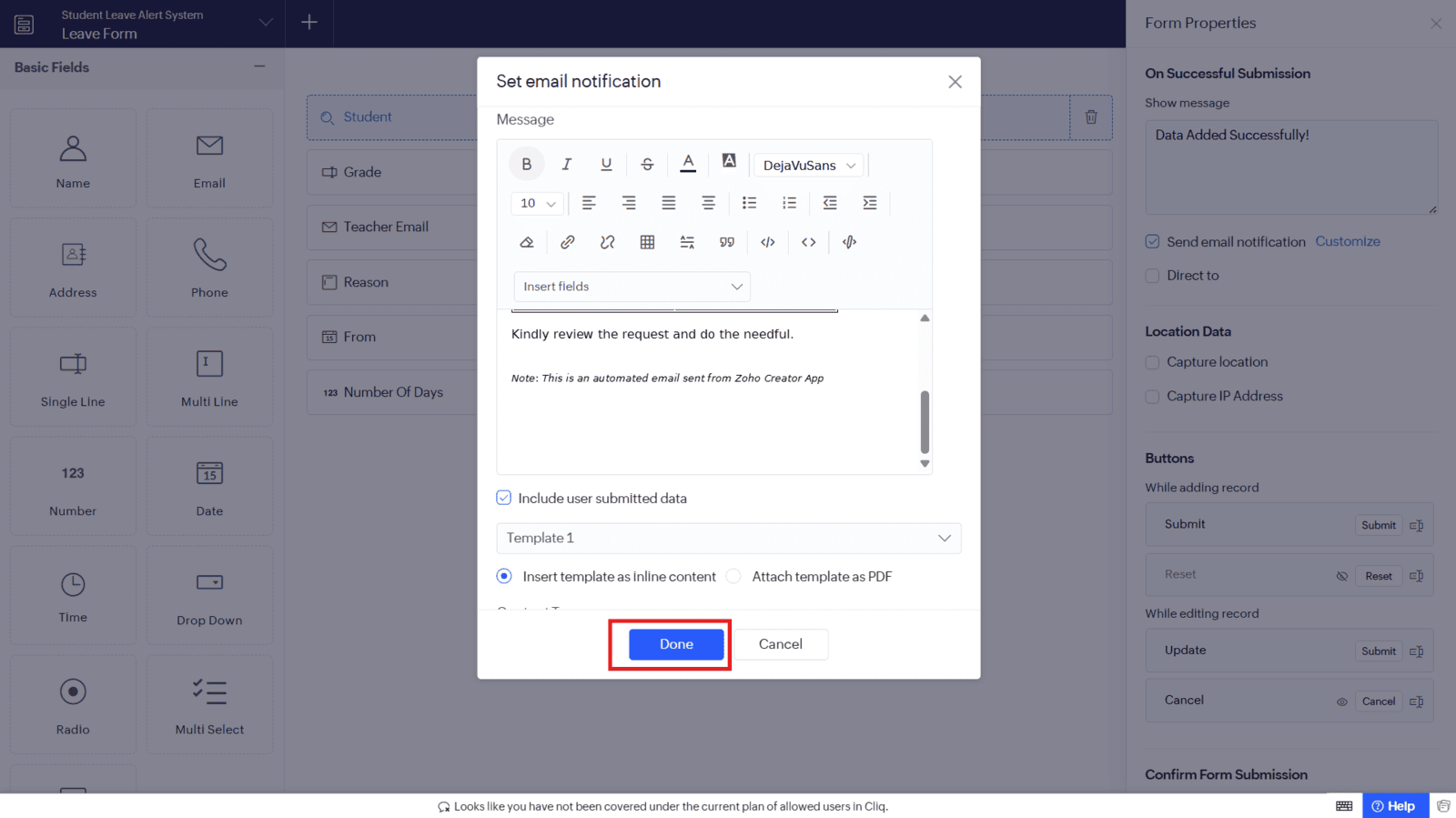
1.6 Add Message and Click on "Done" to Configure
Video: Zoho Creator Email Notification Setup
Here is the video explanation of the above steps


